
Once you have made a purchase in DirectHub, you can navigate to My Orders to check the status of your order and the products you purchased.
Product Statuses
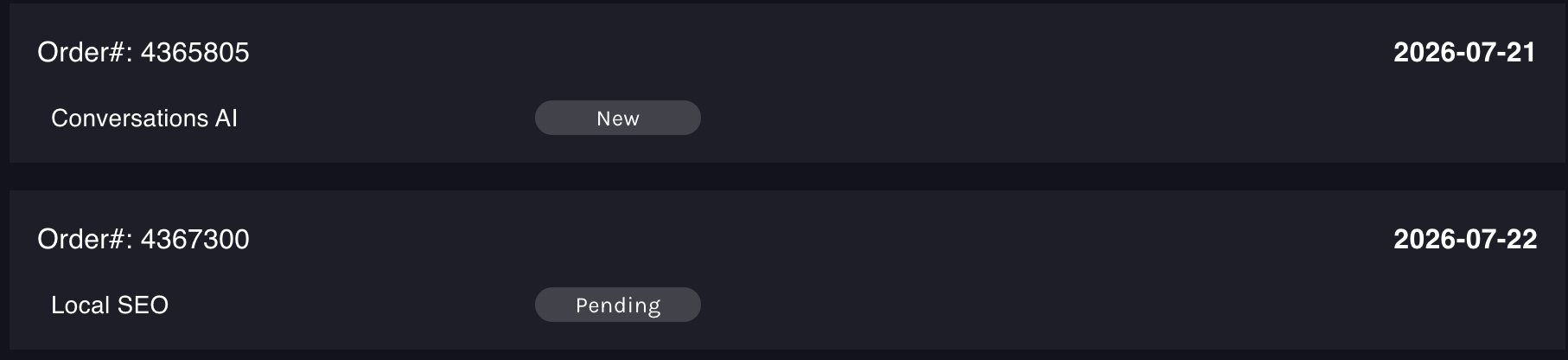
Within each order, you will see the status of each product. Below is a description of these statuses:
| Product Statuses | Definition |
| New | The order has successfully been placed but the product still is missing information in order to get the ads live. |
| Pending | The order as successfully be placed, and sent to our team |
| Live | This means your ads are now live and you can see reporting! |
| Cancelled | This is when you have cancelled your DirectHub subscription and your ads are no longer running. |
Order Statuses
If you click on an order within your My Orders page, you will then get taken to see details about that order and you can see the status of the overall order.
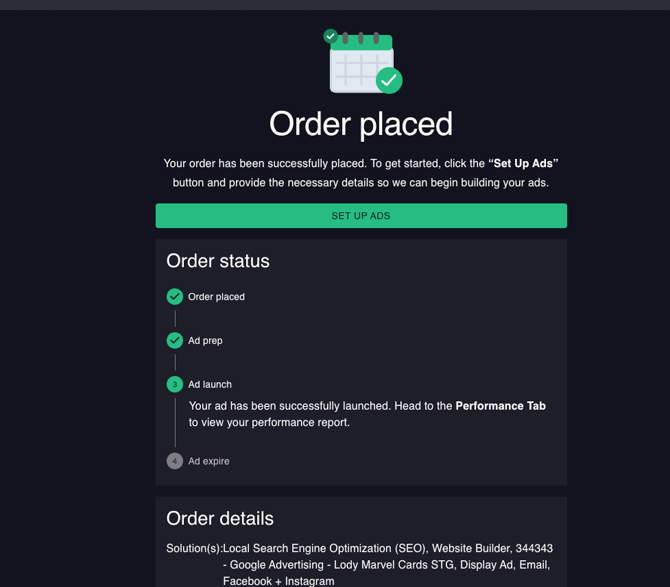
Below we define what each order status means:
| Order Status | Definition |
| Order Placed | Similar to "New", we have received your order and may still need you submit missing order information to us. |
| Ad Prep | We have received your order information and are setting up your ads. This is similar to the "Pending" status for your product. |
| Ad Launch | Your ads are live and reporting is now available! |
| Ad Expire | You have cancelled your order with us and your ads are no longer live. |